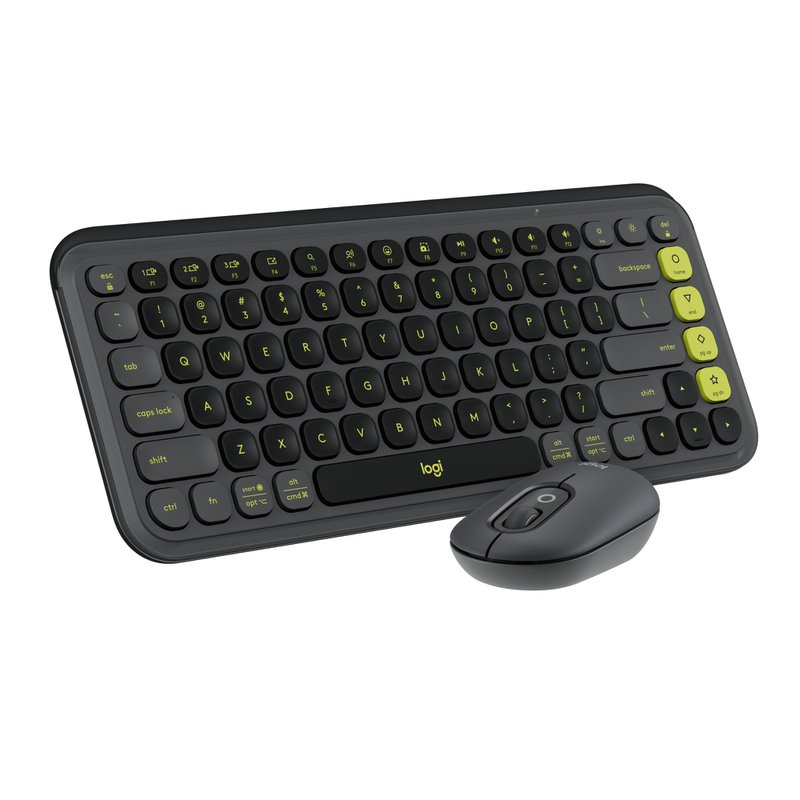
Logitech - Pop Icon Combo Nordic - Graphite
Add an extra pop to your desk with the POP Icon Combo, a contoured design with customizable Action Keys and Buttons[2].
The low- profle keys give you a comfy typing experience. POP Mouse boosts productivity by 30%, compared to a trackpad[6]. The Smartwheel speed scroll takes you where you need to go, fast.
FEATURES
- Start With a POP: Stand out with this stylish Bluetooth keyboar…
Add an extra pop to your desk with the POP Icon Combo, a contoured design with customizable Action Keys and Buttons[2].
The low- profle keys give you a comfy typing experience. POP Mouse boosts productivity by 30%, compared to a trackpad[6]. The Smartwheel speed scroll takes you where you need to go, fast.
FEATURES
- Start With a POP: Stand out with this stylish Bluetooth keyboard and mouse combo that's bold in design, compact, and comes with customizable Action Keys and Buttons (1) so you can own your space
- Designed to be Diferent: This compact wireless keyboard and mouse combo is anything but ordinary; its modern, contoured design is made with recycled plastic (2) and is available in matching colors
- Make a Big Impression on the Quiet: The quiet keyboard has contoured, low- profle keys for comfortable typing, while the silent mouse features Silent Touch Technology to keep things extra quiet
- Life Is Easier With Shortcuts: Quickly switch between work, social, and break (Netfix, Spotify) modes, or access your AI tools with Action Keys, Action Buttons, and the Logi Options+ App (1)
- Easily Hop Across 3 Devices: Connect with Bluetooth to up to 3 wireless devices across OS (Windows, macOS, iPadOS, iOS [3], ChromeOS) and switch between them with a press of the Easy-Switch button
- Get Where You Need to Go Fast With POP Mouse’s Smartwheel: Shift from high-precision tracking to speed scrolling with one fick, helping you whizz through documents and web pages
- Go for Longer: The wireless mouse has a 2-year battery life, while the keyboard has a 3- year battery life (4); both feature power- saving auto-sleep modes to give you hours of use; batteries included
- Made With Recycled Plastic: Plastic parts in the POP ICON Combo include between 37% and 70% recycled plastic depending on the color; uses certifed paper for responsible packaging
WHAT’S IN THE BOX
- Mouse
- 1 X AA battery (pre-installed)
- User documentation
- Sticker
- Warranty card for JP
- Keyboard (Nordic layout)
- 2 X AAA batteries (pre-installed)
- User documentation
- Sticker
-
Coolshop
Upplýsingar eru birtar með fyrirvara um breytingar og villur. Upplýsingar á síðu söluaðila gilda.